
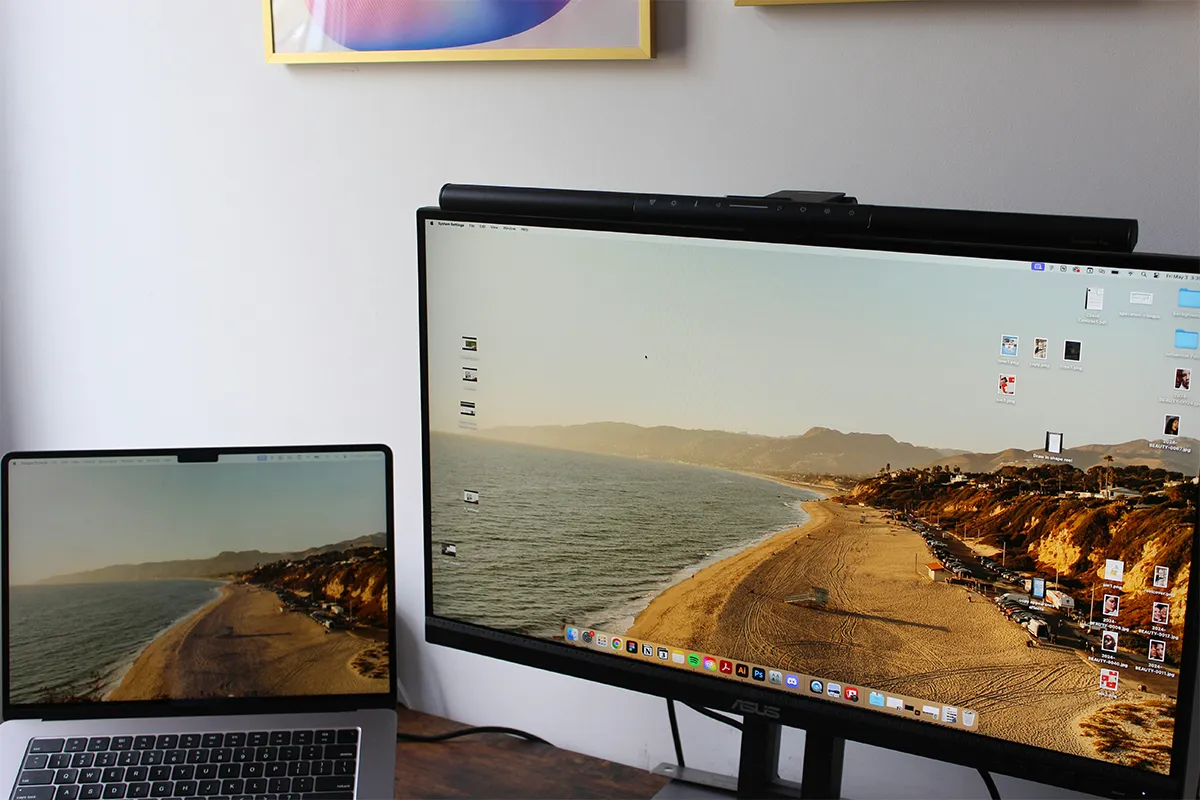
Do you want the freedom of remote working or to greatly improve your productivity at the office without compromising on your mobility? If the answer is yes, then you have landed on the right page. The best laptop screen extenders for office work on a budget will ease your life significantly. Now you do not have to switch tabs frequently, nor have to stick with your desk to have an extra monitor.
Exreen extensers add extra convenience and completely change your work life. They transform your working style and make comfort the order of the day. You carry an extra monitor that clips onto your existing laptop screen and easily becomes a dual-screen setup in no time, or without putting too much effort. Many of these models are cheap laptop screen extenders under $300, which makes them easy to add to any work setup without stressing your budget.
Top 10 Best Laptop Screen Extenders for Office Work Tools
Start with the ten models below if you want a quick setup, fair prices, and steady use all day. Look for firm clamps, clear labels on ports, and screens that resist glare from lights or windows. If you build a tidy desk, your work will feel lighter and your steps will flow.
1. Mobile Pixels DUEX Lite 12.5-inch
For a small laptop, the DUEX Lite gives a neat side screen that slides out and locks in place. The magnetic plate makes attachment simple, and the frame sits close to the hinge for balance. Text looks sharp for mail and notes. When the meeting ends, the screen slides back and the lid closes as usual. Packing up takes only a moment, so moving between rooms stays easy.
Travel days feel calmer with less bulk. The panel weight is kind to lighter lids, and the cable path stays short and clean. Many users start here and stay here because it works. Those who care about a bag that stays light will value this lightweight laptop screen extender that does not get in the way when the day runs long. Several of these models work smoothly as laptop screen extenders for Lenovo ThinkPad, offering secure mounting and full USB-C support for easy setup.
Pros:
- Very light, about 1.3 lb.
- Slide-out design stays attached.
- USB-C or mini-HDMI support.
- Magnetic plates enable quick setup.
Cons:
- Magnets can feel less secure.
- USB-A mode may need a driver.
- Basic brightness and color controls.
- Adhesive plates commit one laptop.
2. SideTrak Swivel 14-inch Attachable Portable Monitor
When a task needs a taller view, the Swivel turns to portrait or back to landscape in seconds. A firm bracket and strong magnets hold the screen while you adjust the angle. Meetings feel smoother when you can share slides on one side and keep notes on the other. The stand option lets the desk carry some weight, so thin lids do not strain.
Office lights often cause glare, yet this panel handles that challenge well. Lag is low for normal work, and the cable path keeps things neat. Commuters and field teams will like the quick setup and the quiet look. For simple power, the Swivel serves as a USB-powered laptop screen extender that stays friendly with common ports.
Pros:
- Swivels, rotates, and supports portrait mode.
- Folds flat for easy travel.
- Arm doubles as a desk stand.
- Brightness is strong in independent tests.
Cons:
- No full on-screen display.
- Hinge can sag slightly downward.
- Build feels scratch-prone plastic.
- Can pull lighter laptops sideways.
3. Teamgee 12-inch Laptop Screen Extender
Small desks need small tools. Teamgee’s 12-inch panel brings just enough space for a chat window, a to-do list, or a reference doc. The extender attaches in a few careful steps and slides back in when you are done. That helps if you share hot desks or move between floors in one day.
The matte surface helps when lights shine from above. Color looks even for charts and basic images. A short cable and a tight fit keep the lid steady as you type. For regular travel, this makes a tidy clip-on laptop monitor for travel that adds room without clutter or fuss. If you use a MacBook, many of these models also serve as a lightweight clip-on screen extender for the MacBook Air 15-inch, giving you extra space without adding much weight.
Pros:
- Works across many operating systems.
- On-screen menu for adjustments.
- Built-in speakers improve audio.
- Clamp and kickstand add stability.
Cons:
- Dual screens can require tweaking.
- Often needs an extra power supply.
- Clamp fit fussy on extremes.
- Brightness claims vary across listings.
4. FOPO 15.6-inch Triple Portable Monitor for Laptop
Some roles call for bigger views. FOPO’s two side screens fold out to build a wide, three-panel setup. Dashboards, timelines, and calendars can sit open together while the main screen holds the work in progress. You will switch windows less and keep focus more. The frame spreads the weight across the lid so the hinge feels safer.
Packing a tri-screen can sound hard, yet this design folds flat and rides well in a backpack. Stands help share the load with the desk, and brightness handles normal rooms. For users who manage many windows and want value first, this offers an affordable triple monitor for a laptop that gets real work done. Choosing a portable laptop screen extender helps you carry extra screen space anywhere while keeping your work setup simple and flexible.
Pros:
- Wide rotation on both panels.
- Good for mobile road work.
- USB-C video works driverless often.
- Praised for screen quality reviews.
Cons:
- Feels precarious on thin lids.
- Setup and teardown take time.
- A heavier load requires a rear kickstand.
- Cable routing needs extra care.
5. LIMINK SP12 Portable Triple Monitor
Rapid setup becomes a pattern with the SP12. The clamp grips the lid, and both panels swing out to create a balanced shape. Two documents can sit side by side while a meeting stays open on the main display. Your eyes move less, and your mind keeps the thread. That steady flow matters during training, support, or data reviews.
Cable routing is clear, which cuts down mistakes when you move from room to room. The screens are bright and readable in typical offices. Many laptops connect with a single hub, and the workflow stays smooth. When your laptop supports it, this pair works well as a portable monitor with USB-C passthrough that keeps your desk simple.
Pros:
- Travel-friendly with sturdy kickstand.
- Truly plug-and-play setup process.
- Light, compact for small spaces.
- Clear returns and a one-year warranty.
Cons:
- Small 12-inch panels feel cramped.
- Power draw can be high.
- Often uses two USB-C ports.
- Occasional panel issues require reseating.
6. OFIYAA P2 Tri-Screen 14-inch
The P2 opens wide and then folds down in a few easy steps. Two 14-inch panels add real space without a heavy feel, so writing, research, and slide edits can happen at the same time. The frame sits steady and does not wobble during normal typing. That calm motion makes long sessions less tiring.
A gentle matte coat fights reflections, and the buttons help you set a comfortable level of light. Students, interns, and new team members can gain speed right away with a clear layout and a fair price. For tight budgets that still need extra room, it fits as a budget screen extender for students who want more view for less cost.
Pros:
- Side panels rotate near 180.
- Multiple connection paths available.
- Good docs for Surface workflows.
- Bundled charger and cables included.
Cons:
- Often needs 5V 2A power.
- Glossy panels reduce brightness outdoors.
- Clamp fit needs careful alignment.
- Heavier than single-panel options.
7. Kwumsy P2 Pro 13.3-inch Tri-Screen
In small rooms or on soft tables, lighter panels help a lot. The P2 Pro uses two 13.3-inch screens to reduce pull on thin lids. The bracket adjusts to fit many laptops and keeps the row of screens aligned. A clean cable path means fewer snags when you shift seats or close the lid.
Clarity is strong for text and charts. The hinges feel firm, so angles stay where you set them. People who work from home and from the office on the same week will enjoy the quick routine. For teams that meet online often and share files all day, this acts as the best dual screen for remote work when size and speed both matter. Many multitaskers choose the Yutoo triple laptop screen extender to open three screens at once and keep every task in clear view.
Pros:
- Single cable after driver install.
- Per-panel brightness and contrast controls.
- Very wide 207-degree rotation.
- Flip-out kickstand stabilizes the laptop.
Cons:
- Requires a driver for single-cable mode.
- The screen is dimmer than that of many laptops.
- Can press on softer lids.
- Extra cables and TF driver.
8. Maxfree S1 14-inch Laptop Screen Extender
With Maxfree S1, the slide-out motion clicks into place and gives a steady view. The 14-inch panel is large enough for two narrow windows or one wide one. Weight sits low and spreads, so the lid does not shake when you type. The single cable keeps the desk clean and the setup easy to teach to others.
For long reports, the screen is kind to the eyes, and the text remains sharp. Numbers and labels keep their shape. Many users park a sheet here and write on the main display. If your day holds budgets and charts, the S1 works well as a laptop dual screen for spreadsheets that helps cut mistakes.
Pros:
- Kickstand offloads weight from the hinge.
- Can run from a single USB-C.
- Multiple view modes for sharing.
- Light, clamp design prioritizes stability.
Cons:
- May need a 5V 2A adapter.
- Alignment mistakes show around the edges.
- Basic color and brightness controls.
- Documentation hosted on the support site.
9. FQQ S400 14-inch Triple Monitor for Laptop
Two fold-out screens can turn a laptop into a small command center. The S400 brings that shape to life with even alignment and firm support. Mirrors, extended views, and other modes appear through simple steps. The frame includes extra stands that move some weight off the lid. This helps thin laptops stay safe and stable.
For busy roles, many apps can stay open at once. Chat, browser, and docs can each claim a space. The matte finish softens glare and keeps eyes fresh. Budget-minded buyers get a lot of room for the price. With a sensible hub and neat cables, you can build a strong laptop productivity setup on a budget that still looks clean. Office workers often pick the Kefeya Laptop Screen Extender to get two extra side screens without making their laptop heavy or bulky.
Pros:
- One cable powers both on Windows.
- Clear driver path for macOS.
- Large rotation plus rear stand.
- Vendor lists 72 percent NTSC.
Cons:
- Drivers vary across OS versions.
- User feedback notes set up friction.
- Limited ports increase cable count.
- Free shipping is limited to the US.
10. ROYY 14-inch Laptop Screen Extender Dual Monitor
Two 14-inch panels from ROYY open wide and give clear, even space on both sides. The clamp fits many laptops and holds steady, so you can type without wobbles. Balance feels right when angles are set with care. When you close the lid, the panels fold in and travel well.
Daily use asks for simple habits. ROYY keeps cables short and offers ports that suit modern machines. In normal office light, brightness stays steady. If you move between rooms often and want a quiet, reliable kit, this pick becomes an office-friendly portable display that helps you keep focus and finish work with less stress.
Pros:
- 14-inch FHD IPS, 300 nits.
- Plug-and-play over USB-C or HDMI.
- Simpler dual design, lighter weight.
- Fits 13 to 17-inch laptops.
Cons:
- Stock and names change often.
- Fewer third-party lab reviews.
- Availability varies by region.
- Basic specs, limited color controls.
Comparison Table: Laptop Screen Extenders for Office Work
| Model | Type | Added screens | Size per screen | Resolution | Brightness | Ports | Fits laptops |
|---|---|---|---|---|---|---|---|
| Mobile Pixels DUEX Lite 12.5-inch | Single | 1 | 12.5 in | 1920×1080 | 300 nits | USB-C, mini HDMI | 12 in and up |
| SideTrak Swivel 14-inch Attachable Portable Monitor | Single | 1 | 14 in | 1920×1080 | 250 nits | USB-C, mini HDMI | 14 in and up |
| Teamgee 12-inch Laptop Screen Extender | Triple | 2 | 12 in | 1920×1080 | Not stated | USB-C, HDMI, USB-A power | 13 to 16 in |
| FOPO 15.6-inch Triple Portable Monitor for Laptop | Triple | 2 | 15.6 in | 1920×1080 | Not stated | USB-C, HDMI | 15.6 to 17.3 in |
| LIMINK SP12 Portable Triple Monitor | Triple | 2 | 11.6 in | 1366×768 | 220 nits | USB-C ×2 | 13 to 16 in |
| OFIYAA P2 Tri-Screen 14-inch | Triple | 2 | 14 in | 1920×1080 | 300 nits | USB-C, HDMI, USB-A | 11.8 to 15.8 in |
| Kwumsy P2 Pro 13.3-inch Tri-Screen | Triple | 2 | 13.3 in | 1920×1080 | Not stated | USB-C, USB-A | 13.3 to 16.5 in |
| Maxfree S1 14-inch Laptop Screen Extender | Single | 1 | 14 in | 1920×1080 | 300 nits | USB-C, HDMI, USB-A | 13 to 17.3 in |
| FQQ S400 14-inch Triple Monitor for Laptop | Triple | 2 | 14 in | 1920×1080 | Not stated | USB-C, HDMI | 14 to 17.3 in |
| ROYY 14-inch Laptop Screen Extender Dual Monitor | Single | 1 | 14 in | 1920×1080 | 300 nits | USB-C, HDMI | 13 to 17 in |
Conclusion
Before you buy, check your laptop ports and power needs. Some models want DisplayPort Alt Mode over USB-C. Others may use adapters. Weight also matters. A lighter frame can protect the hinge on thin lids. A firm clamp and a short, tidy cable will make your day feel easier. Good light control will keep your eyes fresh during long sessions. Screen size, brightness, and mounting style of portable monitors can affect comfort and focus during long work sessions.
Once the basics match your laptop, think about your space and your habits. If travel is constant, a single side screen may be enough. If your work holds many dashboards and notes, a tri-screen kit may fit better. Either way, laptop screen extenders for office work give you a wider view, fewer window swaps, and a calmer mind. Simple tools, steady frames, and kind light can turn a hard day into a steady day.