
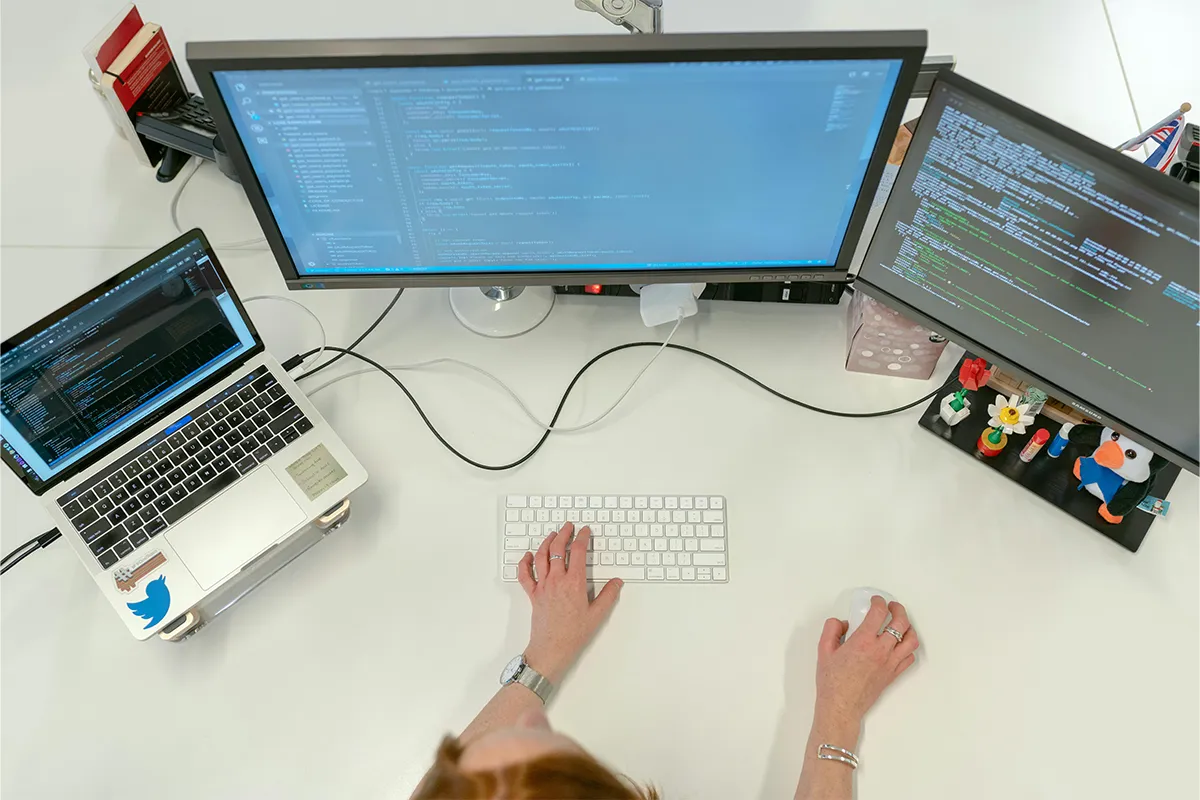
Are you a professional who is struggling with a lack of productivity and headaches when managing multiple tasks at a time? Don’t worry, see what reliable and the best laptop screen extenders Pakistan are available. You can use them while you are traveling, at the office, or at home.
It is difficult to get your hands on any one of the reliable and strong laptop screen extenders in Pakistan, especially when there are a large number of fake or unreliable extenders at your disposal.
Top 8 Best Laptop Screen Extenders in Pakistan Tools
This list shows eight options that people in Pakistan can actually find today. Each short review explains the main use and a simple setup note to save time. Compare the size, ports, and stand style, then choose the store that ships to your city.
1. ASUS ZenScreen MB16ACV
ASUS ZenScreen MB16ACV is a tidy 15.6-inch screen that slides into a backpack with ease. The case feels strong, and the built-in kickstand sets up in seconds. Text looks clean, and the matte finish keeps glare low. Office work, browsing, and code feel steady for long sessions. You can keep a document on one side and notes on the other. For many users, this is a 1080p IPS portable screen that fits a simple work style.
A single USB-C cable can carry power and video on the right laptops. That keeps the desk neat in a small room or a cafe. Travel setups take less than a minute, which helps when you move between rooms or sites. In Pakistan, this model often appears at trusted IT stores and large marketplaces. Returns and exchanges stay simple when you buy from a seller with clear policies.
Pros:
- One USB-C for power and video.
- Anti-glare IPS Full HD.
- Integrated kickstand for quick setup.
- Antibacterial body surface treatment.
Cons:
- No HDMI input, USB-C only.
- Brightness is modest for sunlight.
- 60 Hz is not for motion.
- Mid-range IPS contrast.

2. ASUS MB169C+
Here is a second slim ASUS that focuses on lightweight. The MB169C+ pairs well with 13-inch and 14-inch laptops. Lightweight screen extenders for MacBook Air keep your bag light and your desk neat. When your notebook supports the right signal, one cable does it all. That makes the MB169C+ friendly to USB-C DisplayPort Alt Mode laptops without extra adapters. Students and remote workers enjoy the calm desk look and the even brightness for reading and writing.
The folio cover turns into a stand with one fold. After that, the angle feels comfortable for typing and calls. Colors are fine for general tasks, and scrolling stays smooth for web pages and sheets. If you want a thin screen that you barely feel in your bag, this pick makes sense. In Pakistan, you will find it on well-known e-commerce sites and at computer shops that handle local warranty.
Pros:
- Ultra-thin 8.5 mm body.
- Very light, about 0.8 kg.
- Single cable USB-C DP Alt.
- Flicker-free, blue light filter.
Cons:
- No HDMI input included.
- Needs DP Alt Mode support.
- The folio stand is less stable.
- 60 Hz limits motion clarity.
3. ViewSonic TD1655
Touch helps when you mark up PDFs, draw quick shapes, or present ideas. ViewSonic TD1655 adds touch to a compact body. The built-in stand tilts wide, so you can lower it for sketch notes or raise it for reading. Pinch, tap, and scroll feel natural once you try it. For people who want a portable touchscreen monitor Pakistan option, this screen brings touch without the heavyweight. One recent review highlights how portable monitors often include multiple USB-C ports and reliable video quality for flexible setups.
Check how your favorite apps handle touch on your system. Some tools respond better than others, so a quick test is smart. On-screen keyboards help with short notes on the move. The panel keeps text crisp for slides and documents. In small meetings, you can pass the screen to a teammate to zoom or scroll. Pakistan buyers will find the TD1655 at tech stores and major online shops with clear shipping and return windows.
Pros:
- 10-point portable touch input.
- Dual USB-C with charging.
- Mini HDMI expands device support.
- Protective travel case included.
Cons:
- 60 Hz refresh only.
- Touch support varies by apps.
- Not for color-critical work.
- Heavier than non-touch screens.
4. ASUS ROG Strix XG17
Motion can matter a lot. Fast motion keeps scrolling smoothly, and games are sharp. ASUS ROG Strix XG17 is built for speed and control. The large panel gives more room for side-by-side views, so you can read chat while you edit a deck. People who review long code files or work on timelines enjoy the clean motion. If you want a gaming portable monitor with a high refresh rate, this model sits in a class of its own.
An internal battery helps when you travel. You can set up in a cafe or on a train without looking for a wall socket. The kickstand is steady, and the body feels premium. Price sits above basic screens, yet the result feels worth it if smooth motion is your top need. In Pakistan, watch for restocks and alerts, since demand can be high and batches sell fast.
Pros:
- 240 Hz with Adaptive Sync.
- Large 7,800 mAh battery.
- USB-C and micro HDMI.
- Big 17.3-inch screen.
Cons:
- Bigger and heavier to carry.
- Premium price for performance.
- The battery adds charging steps.
- No touch input provided.
5. Daraz triple portable monitor kits
Wing kits turn a laptop into a three-panel station. Two side screens slide out from the lid, while your main screen stays in the center. Portable laptop screen extenders turn a small desk into a wide workspace for dashboards, notes, and chat. One panel can show a dashboard, the other can hold chat or notes. Busy days feel easier when each task has its own space. If you want this style, a triple laptop screen extender Pakistan kit offers quick setup and a compact footprint.
Mount styles vary. Some use thin metal plates and magnets. Others use clamps. Weight matters because small hinges do not like heavy wings. Check the supported laptop size and the total power draw. Plan cable paths so nothing presses on the hinge. Marketplaces show ratings and real photos from buyers. Read them before you buy to save time and avoid returns.
Pros:
- Three screens from one laptop.
- 13.3 inch 1080p wings.
- Often plug and play USB-C.
- Many sellers in Pakistan.
Cons:
- Build quality varies by seller.
- Extra weight stresses hinges.
- More cables increase clutter.
- Brightness and color mismatch.

6. ESR 15.6″ portable monitor
Value seekers look for a fair price and clear text. The ESR 15.6-inch portable monitor aims to meet that goal. The panel gives a clean 1080p view for office apps, classes, and calls. Laptop screen extenders for office work give you more room for email, sheets, and calls, so work feels calm. The case looks neat, and the stand is simple to use. If you want entry-level gear that still looks tidy, this model is a smart start. Many students in Pakistan see it as a budget laptop screen extender that works well in small rooms.
Inspect the screen on day one for pixel issues. Test the cable for a snug fit. Keep the box until you finish your checks. Once you confirm these points, the screen becomes an easy partner for reading, writing, and light video. Choose a seller with an easy exchange path, and save your receipt for warranty. A good start leads to calm days and fewer support calls.
Pros:
- Very slim kickstand design.
- Single USB-C power video.
- Two USB-C and mini HDMI.
- 1080p is fine for the office.
Cons:
- Glossy surface reflects light.
- Brightness is modest for outdoors.
- USB-C drains laptop battery.
- Warranty varies by seller.
7. Mobile Pixels TRIO Max
Mobile Pixels TRIO Max places a sliding panel on the back of your laptop. Some bundles include two panels for a full three-screen rig. People who compare files side by side enjoy this design. Presenters and analysts can show a deck on one side and notes on the other. The setup turns fast after the plates are on. For a smooth laptop dual-screen setup, Pakistan flow, TRIO Max fits the need.
Mind the hinge and port layout on your laptop. The plates add weight to the lid, so open and close with care. Thick cables near the hinge can bump a sliding panel. Plan your cable path on day one, and you will avoid small snags later. When tuned well, your laptop feels like a tiny command center that still fits in a backpack. Teams that visit clients often enjoy how quickly this rig sets up on a small table.
Pros:
- Slide-out panel sets fast.
- 14 14-inch screen gives space.
- 60 Hz Full HD productivity.
- Clear guidance on weight limits.
Cons:
- Adds weight and hinge torque.
- Plates change the laptop’s feel.
- Higher power draw on systems.
- Bulkier than single panels.
8. AOC I1659FWUX
AOC has shipped slim portable screens for many years. The I1659FWUX is a steady 15.6-inch panel for writing, meetings, and reports. The stand is quick to set up, and the frame is thin to save space. It sits well next to a 13-inch laptop in a tight spot. The Lenovo laptop screen extenders match well with ThinkPad and Yoga models for smooth daily tasks. Frequent travelers choose it as a lightweight portable monitor for travel that still gives a calm view for long reading.
Some units in this AOC line use a driver-based link. That means your CPU and drivers help form the image. For office work, the feel stays smooth. For high-motion clips, a native display link can feel faster, so test your main apps. AOC is a known brand, so you can find spare covers and cables at local shops. The friendly price lets small teams buy more than one without stress.
Pros:
- Single USB powers and displays.
- Foldable stand with auto pivot.
- Full HD IPS clear text.
- Recognized brand, long history.
Cons:
- Needs DisplayLink driver installed.
- 60 Hz, 10 ms response.
- USB A only, no USB C.
- Older design versus USB-C.

Comparison Table: Best Laptop Screen Extenders Pakistan
| Model | Size | Panel | Touch | Ports and Power | Setup Style | Weight Class | Best For | Availability in Pakistan | Quick Tip |
|---|---|---|---|---|---|---|---|---|---|
| ASUS ZenScreen MB16ACV | 15.6 inch | IPS, 1080p | No | USB C video on supported laptops, single cable power | Kickstand built in | Light | Office work, study, code | Local retailers and marketplaces | Match USB C with DisplayPort Alt Mode for simple setup |
| ASUS MB169C+ | 15.6 inch | IPS, 1080p | No | USB C video, single cable power on many laptops | Folio cover stand | Ultra light | Travel, meetings, students | Local retailers and marketplaces | Confirm USB C DP Alt Mode support before buying |
| ViewSonic TD1655 | 16 inch | IPS, 1080p | Yes | USB C video and power on supported laptops | Wide tilt stand | Light | Touch notes, markups, slides | Local retailers and marketplaces | Test your key apps for touch support first |
| ASUS ROG Strix XG17 | 17.3 inch | High refresh IPS, 1080p | No | USB C video on supported laptops, battery built in | Kickstand, sturdy body | Medium | Gaming, fast scrolling work | Local retailers, some marketplace listings | Check bag fit and plan for larger size |
| Daraz triple portable monitor kits | Usually 2 × 13.3 inch wings | IPS class, 1080p per wing | No | USB C video on many laptops, some kits include adapters | Clip or magnet wings | Medium | Dashboards, research, multi task work | Marketplace sellers | Check laptop size support and hinge strain ratings |
| ESR 15.6″ portable monitor | 15.6 inch | IPS class, 1080p | No | USB C video on supported laptops, some units add HDMI in | Simple stand or folio | Light | Budget study and office use | Marketplace sellers | Inspect for pixel issues on day one |
| Mobile Pixels TRIO Max | One or two 14 inch panels | IPS class, 1080p | No | USB C video on many systems, driver may be needed on some | Slide out plate mount | Medium | Side by side docs, client demos | Import platforms and some marketplace sellers | Plan cable paths so sliders do not hit connectors |
| AOC I1659FWUX | 15.6 inch | IPS, 1080p | No | USB A with DisplayLink on many PCs, powered by USB | Simple fold stand | Light | Meetings, writing, reports | Local shops and marketplaces | Install drivers if your system prompts for DisplayLink |
Conclusion
Buying gets easy when you match ports, size, and stand to your routine. Port type comes first. USB-C with the right signal keeps things simple. HDMI input on the screen helps older laptops join the party. For tight budgets, cheap laptop screen extenders under $300 can add clear space for email, sheets, and calls. Next, choose the size. Fifteen to sixteen inches is common for travel. Seventeen inches gives more space for two windows. After that, pick the stand style. A firm kickstand saves time. A folio stand keeps the pack slim. If touch helps your notes, choose a touch model. If motion matters, choose a fast panel. When you want three screens in a small space, wing kits deliver.
Where to buy also matters. Local stores make warranty easy. Large marketplaces add variety and often show real buyer photos. Imports widen your choices but can take longer. Read seller reviews and check the return window before you click buy. On the first day, test the screen, the cable, and the angles you plan to use. Keep your desk neat to protect ports. With the right match, your second screen will pay you back with calm days, clear views, and fewer clicks. People in Pakistan can use this guide to choose well, buy smart, and set up fast.