
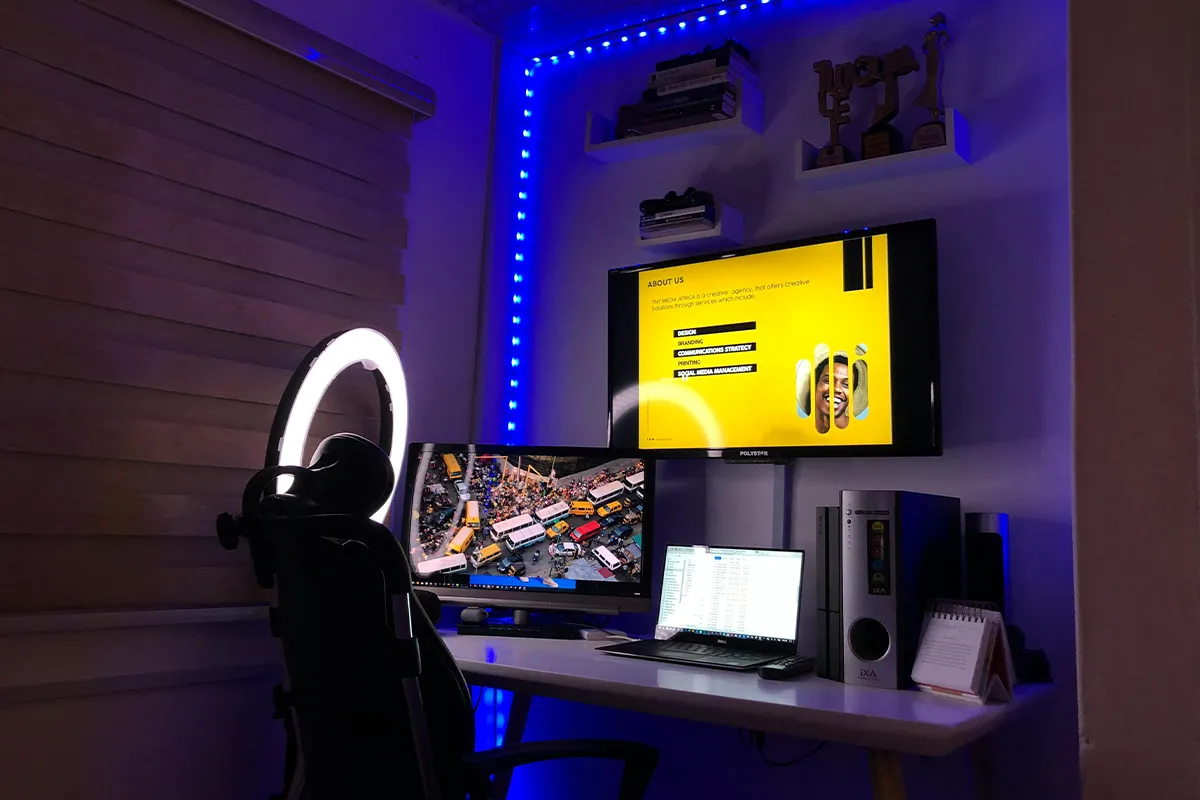
If you are a working professional, freelancer, business owner, or a graphic designer and are looking for a bigger screen to work on, you have landed on the right page. Any one of these 15 best 21-inch laptop screen extender options in your room or office will give you greater freedom. Now you do not have to switch tabs frequently, because you can keep your main work on one screen and place your tools, notes, or messages on the other screen for easy viewing.
There are also options for portable 21-inch laptop screen extenders for professionals who want to enjoy greater freedom, productivity, work efficiency, and achieve higher results at a remote location. With this detailed guide, it is no longer difficult to select one that fulfills all your working requirements. Select the display type, input and output options, panel resolution, and key features that perfectly fit into your job.
Top 15 Best 21-Inch Laptop Screen Extender Options for 2026
In this part, you will read about 15 screens that work well with laptops. Each screen has a short and simple story, so you can picture it on your own table. While you read, think about your own room, your own laptop, and how you like to work or play. If you like smaller screens, 15.6-inch dual monitor laptop screen extenders can also give you more space while still keeping your setup light and easy to move.
1. UPERFECT 21.5 Inch 120Hz Touchscreen Portable Monitor
UPERFECT 21.5 Inch 120Hz Touchscreen Portable Monitor is a big screen that you can still move from place to place. The 21.5-inch size feels wide, so two or more windows can sit side by side. The picture looks clear, and the movement looks smooth, so scrolling and simple games feel soft on your eyes.
On this screen, you can use your fingers. You can tap, drag, and swipe, just like on a tablet. That makes it easy to move windows, press buttons, or draw fast shapes. Many people like this screen asthea best 21-inch portable laptop monitor, because it is large like a desk screen but light enough to pick up and carry.
Pros:
- Big screen for many windows.
- Fast 120 Hz looks smooth.
- A touchscreen makes tapping very easy.
- The portable body fits in a bag.
Cons:
- Heavier than smaller portable screens.
- Needs a good USB-C power source.
- The stand is simple, with fewer angles.
- Higher price than budget monitors.
2. UPERFECT UMax 21 21.5 Inch Portable Monitor
UPERFECT UMax 21 21.5 Inch Portable Monitor is another big screen that you can move. The picture looks sharp, so words and small icons are easy to see. Colors stay bright and clear when you sit in front of it or a little to the side. Among portable laptop screen extenders, this model stands out because it gives you a large picture while still being easy to carry between rooms.
This screen usually has simple ports like USB-C and HDMI. That means you can plug it into many laptops without any trouble. For people who want an affordable 21-inch laptop screen extender that still feels nice, this screen is a good fit. It can sit close to your laptop on a small table and still leave room for a mouse, a book, or a drink.
Pros:
- Large display feels very roomy.
- High refresh makes motion smooth.
- Slim bezels help the screen look clean.
- USB-C connection is very simple.
Cons:
- Still heavier than smaller portables.
- Stand offers only basic tilt.
- Speakers sound weak for movies.
- Needs desk space in a backpack.
3. ASUS ZenScreen MB229CF Portable Monitor
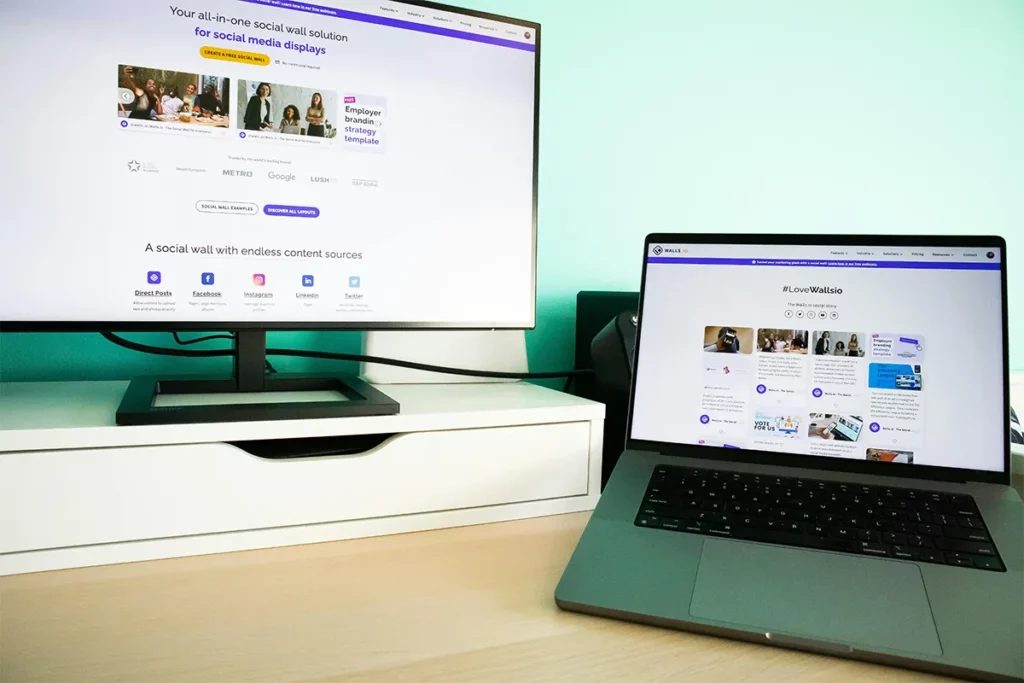
ASUS ZenScreen MB229CF Portable Monitor looks neat and clean. The frame around the screen is thin, so you see more picture and less plastic. The stand holds the screen in a steady way, and you can move the screen up or down a little to match your eye level.
With a USB-C cable or an HDMI cable, this screen can work as part of a dual-screen setup for remote work. One screen can show your main task, and the other screen can show chat, video, or notes. At the end of the day, you can fold the stand, unplug one cable, and move the screen to a safe corner.
Pros:
- Portable screen with sturdy stand.
- USB-C can carry power, too.
- Good picture with a wide angle.
- Nice choice for remote work.
Cons:
- More expensive than basic portables.
- A stand takes more desk space.
- Not as bright in strong light.
- No strong built-in speakers.
4. ASUS 21.5 Inch Eye Care IPS FHD Monitor
ASUS 21.5 Inch Eye Care IPS FHD Monitor is made to be kind to your eyes. The picture looks the same from one side to the other, so long lines of text are easy to follow. Special eye care modes can make strong blue light softer and can stop small flickers that may hurt your eyes over time.
People who read, write, or code for many hours often want an eye care monitor for long hours. This screen can help with that and also works as one of the most comfortable lightweight laptop screen extenders for long days at a desk. You can plug your laptop in with HDMI or another simple port. After that, you can keep your main work on the big screen and use the laptop screen for small tools or music, so you do not feel trapped in one tiny window.
Pros:
- Eye-care modes reduce eye strain.
- The IPS panel gives stable colors.
- Up to 75 Hz feels smooth.
- Good value for simple setups.
Cons:
- Stand only tilts, no height.
- No DisplayPort for easy docking.
- No speakers for quick sound.
- Bezels are thicker than others.
5. HP M22f 21.5 Inch FHD Monitor
The HP M22f 21.5 Inch FHD Monitor is very thin and light. Three sides of the screen have a very small edge, so it looks almost like glass from side to side. The picture is clear and bright, which helps with work, school, and movies.
This screen works well as one of the most useful cheap laptop screen extenders and as a space-saving second monitor for laptop users. It does not need much room on the table, so it fits in small corners and shallow desks. Once you plug in one power cable and one video cable, the screen is ready. Your laptop and this monitor together will make your desk look simple and calm.
Pros:
- Very slim and light design.
- Three-sided micro-edge looks modern.
- Colors cover sRGB very well.
- Great fit for small desks.
Cons:
- Only 60 Hz refresh rate.
- The stand does not adjust height.
- No speakers for built-in audio.
- No DisplayPort for some docks.
6. HP V22i G5 21.5 Inch FHD Monitor
The HP V22i G5 21.5 Inch FHD Monitor gives a clear picture at a fair price. When you move your mouse or scroll a page, the motion feels smooth. The screen has a soft finish, so bright lights and windows do not bounce as much in your eyes.
For many people, this screen feels just right as one of the most practical laptop screen extenders for office work in a home office setup. The stand lets you tilt the screen so it points to your face in a nice way. With easy ports like HDMI, it can work with many laptops, so you can keep using it even when you buy a new computer later.
Pros:
- The IPS panel gives a clear picture.
- 75 Hz makes the motion smoother.
- Simple setup with an HDMI port.
- Good price for home study.
Cons:
- Stand tilts only, no height.
- No USB hub for extras.
- No DisplayPort for easy chains.
- Speakers are missing for quick sound.
7. HP E22 G5 21.5 Inch FHD Monitor
THE HP E22 G5 21.5 Inch FHD Monitor can move in many ways. You can raise it up, push it down, turn it left, turn it right, and even turn it tall. This helps you keep your neck straight and your eyes at a good height, which is important when you sit for a long time.
This screen is a strong choice if you want a plug-and-play laptop second screen that feels like the center of your desk. Ports like HDMI, DisplayPort, and USB can let you plug in a keyboard and mouse right into the monitor. Then one cable can go from the monitor to your laptop and make your whole desk come alive in one simple step.
Pros:
- Stand moves up, down, and swivels.
- Eye Ease helps reduce blue light.
- Multiple ports make hookups easy.
- Very good choice for offices.
Cons:
- Higher price than basic models.
- 60–75 Hz, not gaming focused.
- Speakers are not strong or missing.
- Overkill for very simple needs.
8. Acer EK220Q E3bi 21.5 Inch IPS Monitor
Acer EK220Q E3bi 21.5 Inch IPS Monitor has a picture that looks clear and moves in a soft way. When you scroll a long page or move a window, the motion does not jump too much. The picture looks good even when you sit a little off to one side.
This makes the screen a nice 1080p 21-inch external display for people who do not want a basic, slow screen, but also do not need a big game screen. It has common ports, like HDMI and VGA, so it can work with new and old laptops. The stand is simple but strong, so the screen can sit safely on your desk day after day.
Pros:
- 100 Hz gives very smooth motion.
- The IPS panel shows wide angles.
- FreeSync helps reduce screen tearing.
- Good mix of work and play.
Cons:
- Stand is basic, tilt only.
- No height or swivel adjustments.
- No speakers for quick sound.
- Colors are modest, not pro-level.
9. Acer SB220Q bi 21.5 Inch Full HD IPS Monitor
Acer SB220Q bi 21.5 Inch Full HD IPS Monitor is thin, light, and kind to your wallet. The frame around the screen is very small, so when you place it next to your laptop, the two screens look nice together. The picture stays clear even when you lean a little to the side.
Many people pick this screen as a laptop screen extender for students. It gives enough room for a school project on one screen and notes or a web page on the other. With just power and one video cable, it is easy to set up. The light body also makes it easy to move to another room when you want to change your study space. For very small desks or tighter travel bags, 14-inch full HD laptop screen extenders can act as a lighter side screen while your main 21-inch monitor stays on the desk.
Pros:
- Very low-cost starter monitor choice.
- Ultra-thin body saves desk space.
- The IPS panel keeps colors stable.
- Lightweight and easy to move.
Cons:
- No VESA mount for arms.
- The stand is small and less stable.
- Only HDMI and VGA inputs.
- No speakers for simple audio.
10. Dell P2219H 21.5 Inch Full HD Monitor
Dell P2219H 21.5 Inch Full HD Monitor is made for all-day use. The stand can move up and down and can turn the screen sideways or tall. That means you can set the top of this screen at the same level as the top of your laptop screen and keep your neck in a straight line.
People who use more than one screen often like this model. It works well on a desk with many monitors in a row. It also works well with a USB-C portable monitor for laptops that you carry in a bag. The portable screen can be for travel days, and the Dell P2219H can be your main home or work screen.
Pros:
- Stand adjusts height, tilt, and swivel.
- Thin bezels work well in rows.
- USB hub adds extra handy ports.
- Great main screen for productivity.
Cons:
- Only 60 Hz refresh rate.
- No built-in strong speakers.
- Costs more than basic Dell screens.
- The base takes more desk depth.
11. Dell SE2219H 21.5 Inch Full HD Monitor
Dell SE2219H 21.5 Inch Full HD Monitor is simple and neat. The picture is clear, and the colors look nice for web pages, writing, and shows. The edges are thin, so the screen does not feel heavy or thick on your table.
This monitor is a good part of an affordable 21-inch laptop screen extender plan. You can plug your laptop into the HDMI port, tilt the screen a little, and start using it right away. With two screens side by side, your work area will feel much wider than before. These models work very well as laptop screen extenders for a dual monitor setup, letting you keep your main task on one screen and your support tools or notes on the other.
Pros:
- Simple setup with HDMI or VGA.
- The thin bezel keeps looking very clean.
- Compact base fits tight desks.
- Good everyday second screen choice.
Cons:
- Stand only tilts, no height.
- No USB hub for devices.
- No speakers for direct sound.
- Only 60 Hz refresh rate.
12. Dell SE2225H 21.5 Inch Full HD 75Hz Monitor
Dell SE2225H 21.5 Inch Full HD 75Hz Monitor gives a smooth picture. The screen has a slightly faster feel than many basic screens, so moving the mouse, watching videos, and sliding windows looks better. The design is clean, and the stand holds the screen steady.
People who work from home or study from home can find joy in this screen. It is easy to lift and move if you change rooms. When you pair it with a laptop, it fits nicely into a dual-screen setup for remote work and gives space for notes, chats, or extra tools.
Pros:
- 75 Hz refresh helps motion.
- The VA panel gives deeper blacks.
- Good balance for work and movies.
- Simple ports work with most laptops.
Cons:
- Viewing angles are weaker than those of IPS.
- The stand does not raise or swivel.
- No DisplayPort for some setups.
- Speakers are missing for quick audio.
13. Lenovo L22e 40 21.5 Inch Full HD Monitor
Lenovo L22e 40 21.5 Inch Full HD Monitor has a soft and modern look. The stand has a smooth curve, and the frame is thin on three sides. The picture moves in a smooth way, and bright lights do not shine too much back into your eyes.
The Lenovo laptop screen extender is a strong pick when you want a space-saving second monitor for a laptop that still looks nice. It can sit close to a wall or in a small corner and still give a clear view. For reading, writing, and simple picture work, the screen feels calm and easy to use.
Pros:
- VA panel with strong contrast.
- 75 Hz helps smoother scrolling.
- Near-edgeless frame looks modern.
- FreeSync supports light gaming use.
Cons:
- Stand only tilts, no height.
- No speakers for built-in sound.
- No DisplayPort for daisy-chains.
- Colors are less accurate for design.
14. BenQ GW2283 21.5 Inch Eye Care IPS Monitor
BenQ GW2283 21.5 Inch Eye Care IPS Monitor cares about your eyes. It can make blue light softer and can stop tiny flickers that may make your eyes hurt. It can also change the brightness by itself, so the picture is not too bright and not too dark in your room.
Many people who sit in front of a screen for a long time, like this model, use it as an eye care monitor for long hours. The picture stays clear, and the simple built-in speakers can play sound for calls and videos. When you plug this screen into your laptop with one HDMI cable, your desk can look neat, with fewer loose wires. Many of these models also work smoothly as laptop screen extenders for MacBook, as long as you connect through HDMI, USB-C, or a simple adapter.
Pros:
- Eye-care modes protect tired eyes.
- Brightness Intelligence adjusts light automatically.
- Cable management keeps the desk tidy.
- The IPS panel gives a clear picture.
Cons:
- Only 60 Hz refresh rate.
- The stand does not move in height.
- Not ideal for fast gaming.
- Speakers are fine but not powerful.
15. ViewSonic VG2248 21.5 Inch Full HD IPS Monitor
ViewSonic VG2248 21.5 Inch Full HD IPS Monitor is made to be the main screen on a busy desk. The stand can move in many ways, so you can raise it high, drop it low, turn it left or right, and even stand it tall for long pages. Ports like HDMI, DisplayPort, and USB let you plug in other small items, such as a mouse and keyboard, right into the monitor.
Many people use this screen when they build a full 21-inch monitor for a home office setup. A single cable can go from the monitor to the laptop and bring the picture and other tools to life at once. The clear picture and many ways to move the screen can help you sit in a good way and stay on task for a long time.
Pros:
- Stand tilts, swivels, and raises.
- 40° tilt helps sitting or standing.
- USB hub handles keyboard and mouse.
- Great main screen for the home office.
Cons:
- Only 60 Hz, not gaming-focused.
- The office look may feel less stylish.
- Speakers are basic, not strong.
- Costs more than simple monitors.
Comparison Table: 21-Inch Laptop Screen Extender Options
| Model | Type | Panel/resolution | Refresh rate | Main ports | Key strengths | Best for |
| UPERFECT 120Hz Touchscreen Portable Monitor | Portable | IPS, Full HD 1920 x 1080 | 120 Hz | USB-C, HDMI | Large 21.5-inch touchscreen, very smooth motion | Gaming plus touch control and on-the-go work |
| UPERFECT UMax 21 Portable Monitor | Portable | IPS, Full HD 1920 x 1080 | High (around 100-120 Hz, model-dependent) | USB-C, HDMI | Big portable screen with high refresh and touch on some versions | One travel screen for work and play |
| ASUS ZenScreen MB229CF Portable Monitor | Portable | IPS, Full HD 1920 x 1080 | 100 Hz | USB-C (60 W PD), HDMI | Portable design with a solid stand and power delivery over USB-C | Remote work setups that feel like a small dock |
| ASUS Eye Care IPS FHD Monitor (VP229HE) | Desk | IPS, Full HD 1920 x 1080 | Up to 75 Hz | HDMI, VGA | Eye-care modes, low blue light, flicker-free, Adaptive-Sync | Long reading or coding sessions with fewer tired eyes |
| HP M22f FHD Monitor | Desk | IPS, Full HD 1920 x 1080 | 60 Hz (typical office rate) | HDMI, VGA | Very slim, three-sided micro-edge design, 99% sRGB color | Small desks where style and basic color accuracy matter |
| HP V22i G5 FHD Monitor | Desk | IPS, Full HD 1920 x 1080 | 48-75 Hz | HDMI, VGA | Budget monitor with 75 Hz for smoother motion | Every, day the home office and study are used |
| HP E22 G5 FHD Monitor | Desk | IPS, Full HD 1920 x 1080 | Up to 75 Hz | DisplayPort, HDMI, USB hub | Fully ergonomic stand (height, tilt, swivel, pivot) and Eye Ease | All-day office work on a laptop docked to one main monitor |
| Acer EK220Q E3bi IPS Monitor | Desk | IPS, Full HD 1920 x 1080 | 100 Hz | HDMI, VGA | 100 Hz panel with AMD FreeSync and eye-care features | Smooth scrolling, video, and light gaming on a simple desk |
| Acer SB220Q bi Full HD IPS Monitor | Desk | IPS, Full HD 1920 x 1080 | Up to 75 Hz | HDMI, VGA | Ultra-thin, very low-cost, zero-frame design | Students or first-time buyers who want a basic second screen |
| Dell P2219H Full HD Monitor | Desk | IPS, Full HD 1920 x 1080 | 60 Hz | DisplayPort, HDMI, VGA, USB 3.0 hub | Fully adjustable stand and a USB hub with very thin bezels | Multi-monitor productivity and serious office setups |
| Dell SE2219H Full HD Monitor | Desk | IPS, Full HD 1920 x 1080 | 60 Hz | HDMI, VGA | Thin bezel, compact base, very simple setup | Basic laptop dual-screen setup on a tight desk |
| Dell SE2225H Full HD 75Hz Monitor | Desk | VA, Full HD 1920 x 1080 | 75 Hz | HDMI, VGA | VA panel with higher contrast and 75 Hz refresh | Mixed work and movie-watching with deeper blacks |
| Lenovo L22e-40 Full HD Monitor | Desk | VA, Full HD 1920 x 1080 | 75 Hz | HDMI, VGA, audio out | 3000:1 contrast, FreeSync, near-edgeless design | Light gaming plus general laptop work on a stylish screen |
| BenQ GW2283 Eye Care IPS Monitor | Desk | IPS, Full HD 1920 x 1080 | 60 Hz | 2 x HDMI, VGA, speakers | Eye-care features (low blue light, flicker-free, Brightness Intelligence) and cable management | Long home-office or study sessions where eye comfort matters |
| ViewSonic VG2248 Full HD IPS Monitor | Desk | IPS, Full HD 1920 x 1080 | 60 Hz | HDMI, DisplayPort, VGA, USB hub | Fully ergonomic stand (height, tilt, swivel, pivot) and 40° tilt for standing work | Home-office users who want a very adjustable main monitor |
Conclusion
A 21-inch laptop screen extender can change how your laptop feels every day. With a second screen, you can place your main work on one side and your notes, chats, or music on the other side. This helps your eyes and mind feel calm because you do not need to switch from one window to another all the time. One systematic review of office tasks found that using multiple monitors can increase task efficiency and user comfort compared with a single screen.
When you look at these 15 Best 21-Inch Laptop Screen Extender Options for 2026, think about your own habits. Some people like a light screen that they can fold and carry. Other people like a strong screen that stays on the table and can move up, down, or sideways. With the right laptop screen extender 21 inch, your laptop can feel big, friendly, and ready for both work and fun.