
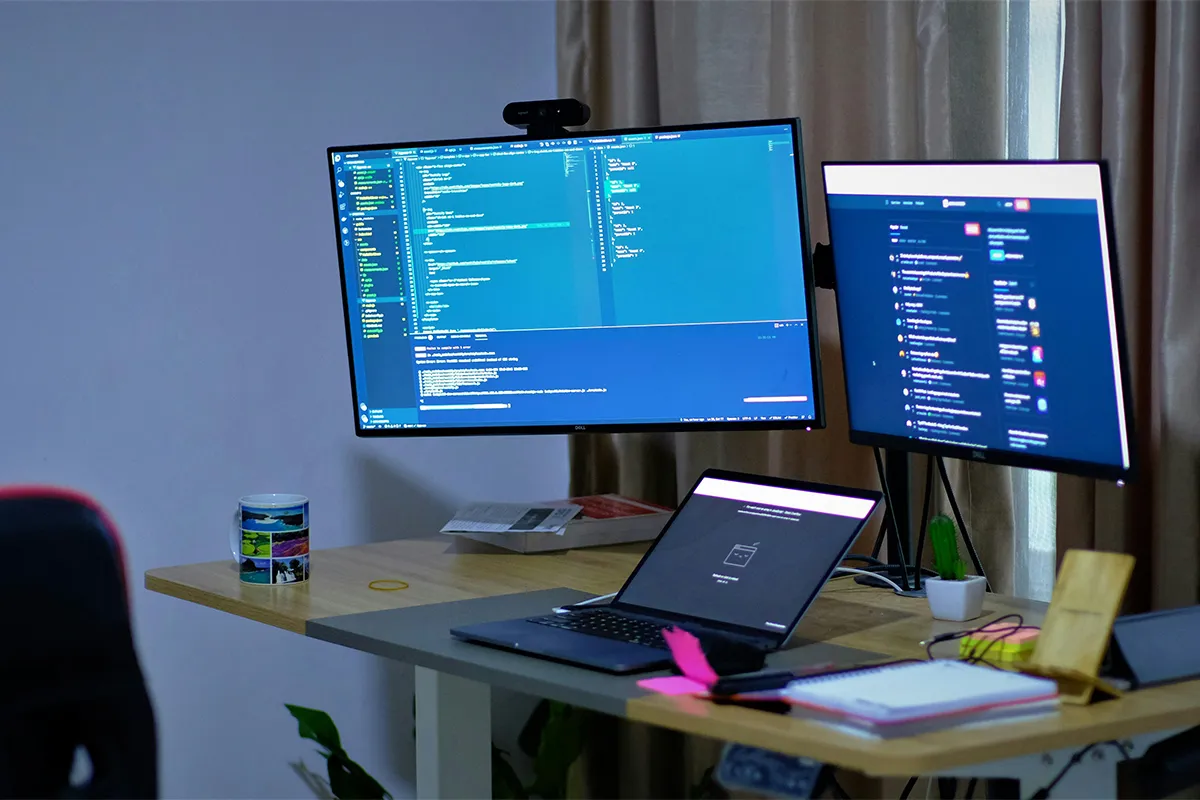
Are you tired of switching screens frequently and getting distracted? The solution to your distractions is these best laptop screen extenders with 3 monitors, carefully selected for working individuals. The main criteria kept in view while testing and making the selections are the built quality, endurance, advanced features, HD displays, and budget.
Avoid switching screens and stay focused. Now you can keep open emails, documents, and tools all at the same time. With all the important windows open, you can have better accessibility, higher performance, a lower distraction rate, and better results. Give your productivity a new boost with these best laptop screen extenders today!
Top 10 Best Laptop Screen Extenders With 3 Monitors for Work:
Ports and power come first, because the right plug makes setup easier. Size comes next, because the wrong size feels odd and heavy. Work style comes last, because travel needs differ from desk needs.
1. ASUS ZenScreen Duo OLED MQ149CD
A clean desk look is a big reason people like the ASUS ZenScreen Duo OLED MQ149CD. Two extra screens sit in one unit, so the setup feels like dual monitors in a neat frame. A neat setup keeps your mind calmer during long work. Reading can stay on one screen while writing stays on the other, and the laptop screen stays for the main task.
Before buying, check how your laptop sends video out. USB-C video support matters for easy use, and some laptops need a specific port for video. A firm table also helps a lot, because a flat surface keeps the unit steady. The triple portable monitor for laptop work fits this model when you want a tidy layout and a stable feel.
Pros:
- Dual 14-inch OLED panels.
- 1920 × 1200 each screen.
- 100% DCI-P3 color coverage.
- USB-C and mini-HDMI ports.
Cons:
- The price is very high.
- OLED needs static-image care.
- Needs USB-C video support.
- Two screens use more power.

2. Mobile Pixels TRIO 2.0
Fast setup is the main draw of Mobile Pixels TRIO 2.0. A quick attach style saves time when you move between rooms. Less setup time means you keep using it, even on busy days. A simple routine also helps when you share a desk or pack up often.
Even with cheap laptop screen extenders, display support still needs a quick check. Some laptops extend to two extra screens easily, while others need an adapter or software. Cable planning also matters because fewer cables reduce clutter. A portable triple monitor for coding and spreadsheets matches this model when you want more lines on screen and fewer window swaps.
Pros:
- Made to attach to laptops.
- Two size options are offered.
- Full HD IPS screens.
- USB-A and USB-C support.
Cons:
- Uses extra ports and power.
- Brightness is fairly limited.
- Fit depends on laptop size.
- Extra weight on the lid.
3. SideTrak Swivel Pro HD Triple
Flex angles make SideTrak Swivel Pro HD Triple stand out. Swivel movement lets you adjust the view, reduce glare, or show a screen to a person beside you. Small team reviews feel easier when you can turn a screen a little without moving your whole laptop.
Laptop balance matters with this style. A solid desk keeps the setup stable, while a soft surface can feel shaky. Hinge strength also matters, because extra screens add weight. Lightweight tri-screen monitor for business trips fits this type of design when your work day changes locations, and you still want flexible viewing.
Pros:
- Two 13.3-inch Full HD screens.
- Swivel hinges rotate for sharing.
- USB-C works with Thunderbolt.
- Built-in kickstand support included.
Cons:
- The cost is very high.
- Adds weight to the laptop lid.
- Needs a stable desk.
- Not great for small laptops.
4. Xebec Tri-Screen 2
Classic side screens are the idea behind Xebec Tri-Screen 2. One screen sits on the left, and one sits on the right. That layout feels natural for many people, because it looks like a desk monitor setup. Chat can live on one side, and your main work can stay in the center.
Compatibility checks save stress later. Some laptops handle two extra displays well, and others have limits, especially on certain MacBook models. A quick check of your exact laptop model helps a lot. A three-screen setup for MacBook and Windows becomes smoother when you confirm support before you buy.
Pros:
- Two 10.1-inch WUXGA screens.
- 16:10 ratio suits documents.
- Works across many laptop OS.
- USB-C pass-through charging support.
Cons:
- Small screens for big spreadsheets.
- Some laptops need an adapter.
- Higher power draw per screen.
- Mini-HDMI adds another cable.
5. Verbatim Dual Portable Monitor
Simple design is the point of Verbatim Dual Portable Monitor Essentials. Fewer moving parts often mean fewer surprises. A basic setup is enough for email, meetings, docs, and daily office work. Many workers want extra space without a complex frame.
Connection options matter here. USB-C video support often gives a cleaner setup, while HDMI helps when USB-C video is missing. A backup option can save a workday when you switch laptops. USB-C laptop screen extender with HDMI fallback fits this model when you want more than one safe way to connect.
Pros:
- Two 15.6-inch Full HD screens.
- Vertical stack saves desk width.
- USB-C or mini-HDMI input.
- The top screen can auto-rotate.
Cons:
- Extend mode is Windows only.
- A bigger unit needs more bag space.
- A tall stack may block sight.
- More cables than one monitor.
6. JSAUX FlipGo
The foldable style is a big reason people choose JSAUX FlipGo. Quick folding makes packing easier, so it is one of the most portable options for travel work. A fold design also helps when you want flexible placement on a desk. Angle changes can reduce neck strain during long sessions.
Driver needs can vary by laptop. Some setups work right away, while others need software for extra display support. A home test is smart before you travel. A foldable laptop monitor extender with a kickstand fits this idea when you want fast opening, fast closing, and easy placement.
Pros:
- 2256 × 1504 resolution option.
- Built-in hub with ports.
- Stacked layout saves desk width.
- Includes cables and a charger.
Cons:
- Setup may feel complex.
- A carry kit can feel bulky.
- Brightness may feel limited.
- The price is high for travel.
7. UPERFECT Delta Pro Touch
Touch control is the special point of UPERFECT Delta Pro Touch. A tap can feel faster than dragging a pointer across many windows. Quick scroll and quick zoom also feel easier with touch. Document review can move faster when you can jump between parts with simple hand moves.
Screen height and angle affect touch comfort. A good angle keeps your arm relaxed. A steady desk also helps touch feel better. A laptop screen extender for Excel power users fits this option when sheets are big, and you want cells, notes, and charts visible at the same time.
Pros:
- 2560 × 1600 on each screen.
- 10-point touch plus stylus.
- One-cable dual-screen connection.
- Built-in stand with auto-rotate.
Cons:
- Touch is not always needed.
- The cost is very high.
- Two screens use more power.
- Stacked height needs space.
8. Lepow D15 DualView
Budget focus is why many people look at the Lepow D15 DualView. A dual-screen unit can give the “3 monitors” feel without a very high price, and many full HD laptop screen extenders are clear enough for email and docs. Less cable clutter is another plus, because one unit can reduce the mess that comes with two separate monitors.
Laptop fit still matters. Smaller laptops can feel crowded if the extender is too wide or too heavy. A stable stand can improve comfort for long hours. Budget-friendly dual-screen extender for remote work fits this model when you want more space for daily tasks, and you want to control cost.
Pros:
- Foldable dual-screen body design.
- Two 15.6-inch Full HD screens.
- USB-C plug-and-play connection.
- One unit for travel.
Cons:
- Too large for small bags.
- Needs stable support while typing.
- Uses more ports and power.
- Extra weight for daily carry.
9. OFIYAA Tri-Screen 13.3 P2 Pro
Closed screens are the goal of OFIYAA Tri-Screen Pro 13.3 P2 Pro. Two extra screens sit near the laptop screen, so eye movement stays small. Dashboards, notes, and tools can stay open together. Less switching often means fewer mistakes and less stress.
Weight and alignment affect comfort. A unit that sits straight feels better during long work. Laptop width also matters, because the fit changes by size. The best dual monitor attachment for 14-inch laptops fits many users because 14-inch laptops are common and need a balanced extender size.
Pros:
- Two 13.3-inch Full HD.
- Made for laptop side mounting.
- Works with Mac and Windows.
- Portable triple-screen work style.
Cons:
- Driver issues reported on macOS.
- Fit depends on laptop width.
- Uses extra ports and power.
- First setup may take time.
10. Teamgee Triple Portable Monitor 14-inch
Long task support is the focus of the Teamgee Triple Portable Monitor 14-inch. A clear split of screens makes work feel organized. One screen can hold a call window, one can hold the main task, and one can hold a guide or notes. That simple split reduces constant tab switching.
Port support decides how smooth the day feels. Some laptops extend to two extra screens with no trouble, while others need a dock or adapter. Packing speed also matters for travel work. Plug-and-play dual screen extender for travel fits this option when you want fast setup and easy carry in many places.
Pros:
- Fits many 13–17-inch laptops.
- Full HD IPS screens.
- USB-A, USB-C, and HDMI options.
- Built-in stand and speakers.
Cons:
- Many cables for the full setup.
- Needs enough desk space.
- Adds weight to the laptop lid.
- Mac limits depend on the model.

Comparison Table: Laptop Screen Extenders with 3 Monitors
| Model | Adds (Extra Screens) | Screen Size Each | Resolution Each | Main Ports | Fit and Notes |
|---|---|---|---|---|---|
| ASUS ZenScreen Duo OLED MQ149CD | 2 | 14 in | 1920 × 1200 | USB-C ×2 (DP Alt), mini-HDMI ×1 | Dual OLED, foldable design |
| Mobile Pixels TRIO 2.0 | 2 | 13.3 in or 14.1 in | 1080p Full HD | USB-C (also supports USB-A) | Best fit: 13–14 in laptops (13.3 in version) |
| SideTrak Swivel Pro HD Triple | 2 | 13.3 in | 1920 × 1080 | USB-C (Thunderbolt supported) | Attachable, swivel-style setup |
| Xebec Tri-Screen 2 | 2 | 10.1 in | 1920 × 1200 | USB-C ×2 (DP), mini-HDMI | Fits 12–20 in laptops; supports Mac, Windows, Linux, ChromeOS |
| Verbatim Dual Portable Monitor Essentials | 2 | 15.6 in | 1920 × 1080 | USB-C or mini-HDMI | Extend mode: Windows only |
| JSAUX FlipGo | 2 | 13.5 in (FlipGo Pro) | 2256 × 1504 | USB-C ×3, mini-HDMI, USB-A ×2 | Stacked dual-screen style |
| UPERFECT Delta Pro Touch | 2 | 16 in | 2560 × 1600 | USB-C, mini-HDMI | Touch + stylus support |
| Lepow D15 DualView | 2 | 15.6 in | 1920 × 1080p | USB-C (video + power) | Foldable dual-screen body |
| OFIYAA Tri-Screen Pro 13.3 P2 Pro | 2 | 13.3 in | 1920 × 1080 | USB-C or USB-A (via adapter) | Fits 13–16.5 in laptops; driver required |
| Teamgee Triple Portable Monitor 14-inch | 2 | 14 in | 1920 × 1080p | Type-C ×3, mini-HDMI ×2 | Fits 13–17.3 in laptops (per manual) |
Conclusion
More screen space makes work feel less messy. Less window switching means fewer interruptions. A clearer view of notes, files, and tools can reduce small errors. Laptop screen extenders with 3 monitors support that goal in a portable way.
Smart buying starts with basic checks. Ports, video output, and power needs decide how easy the setup will feel. After that, size and comfort decide daily use. Simple dual monitor setup guidance can also help you place screens close and at eye level for better comfort. Better results often come when the extender matches your laptop width and your work style, especially when a portable triple monitor for coding and spreadsheets is the main reason for the upgrade.