
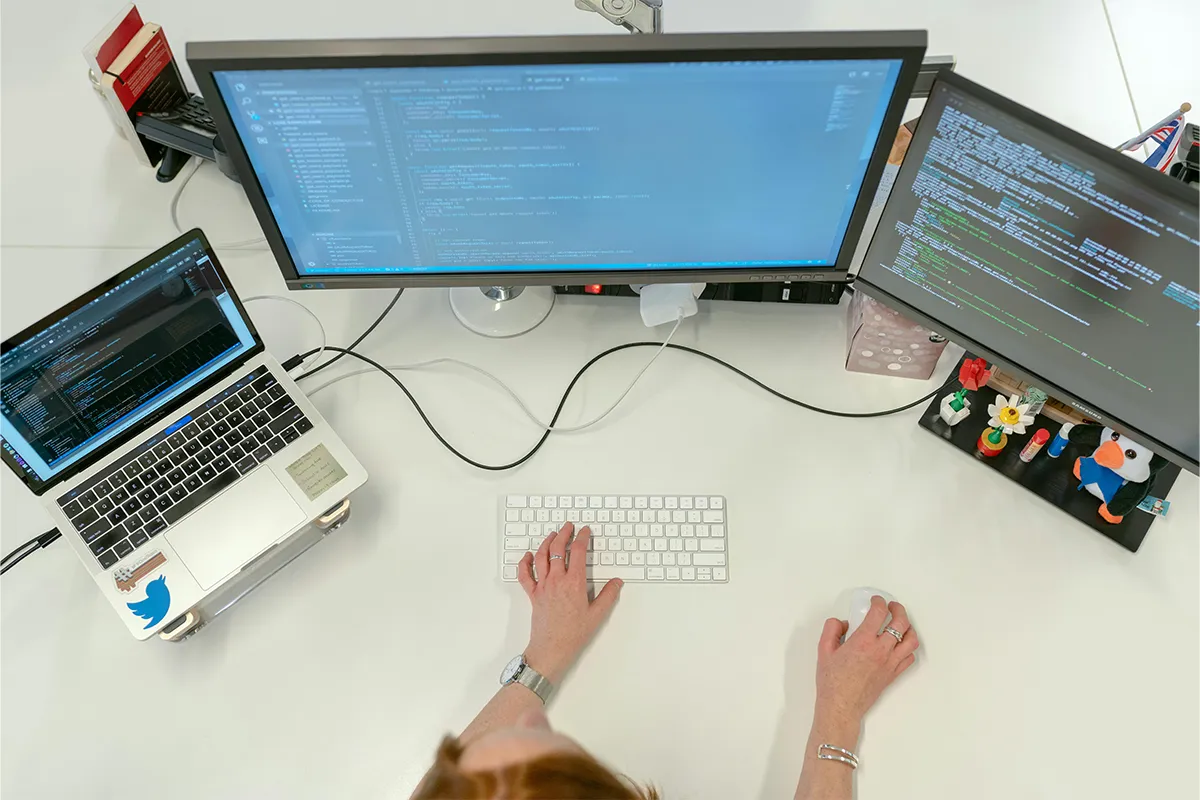
Are you fed up with switching tabs and losing your entire focus? Even the smallest tasks can grab all your attention and divert your focus from the main goal. This kicks off the frustration, and your whole mood is spoiled. Resultantly, the productivity is lowered, efficiency is reduced, and achievements are affected. The one and only solution to all these dilemmas is these 10 best laptop screen extenders for a 4-screen setup.
Escape frequent tab switching with 4 monitors, including the main display. Now you can reply to emails, write notes, write articles and blog posts, as well as keep an eye on your trades, all at the same time. Do not worry about losing focus and indulging in another task while leaving behind the main one. After installing the 4-screen setup, your productivity will see noticeable improvements.
Top 10 Best Laptop Screen Extenders for 4 Screens:
These picks are made for a true four-screen workflow with a laptop. Each option fits a different need, like travel, desk work, or long daily use. Read each section and match the extender to your laptop ports and habits.
1. Kwumsy Z4Pro Quad Laptop Screen Extender
Kwumsy Z4Pro Quad Laptop Screen Extender is built for people who want a full kit that feels like one unit. It can help when you keep many apps open, such as a browser, a document, a chat tool, and a calendar. Because the screens are meant to work together, the setup can feel neat when you work at the same desk most days. In the same way, Dopamine decor ideas can help your work area feel calmer and more focused, because small color accents can make the space feel less heavy.
Before you buy, check your laptop ports and your system limits for extra screens. If you are not ready for four screens yet, laptop screen extenders for dual monitors can give you extra space with a simpler setup. Some laptops handle many screens well, while others struggle when too many displays are active. For daily desk work, a quad monitor extender for laptop productivity is a strong fit because it is about steady use, simple layout, and less window switching.
Pros:
- Unified quad-screen kit design.
- Reverse charging can power laptops.
- Driver files included on USB.
- Built-in guides simplify setup.
Cons:
- External 65W power required.
- Driver installation is required.
- Heavier, desk-first design feel.
- Setup time can be longer.

2. FOPO Quad Laptop Screen Extender
The FOPO Quad Laptop Screen Extender is often used by people who like a clear screen layout all day. It can support work, admin work, and content work, since you can keep tools open and still see everything. With four screens, you can keep a call window on one screen and keep your main task on another screen.
Good planning makes this kind of setup feel easy. For example, you can place notes on one screen, messages on one screen, and data on one screen. If you work from home and move between rooms, a portable laptop screen extender for remote work matters because weight, fold style, and daily setup time will shape your real use.
Pros:
- Large 15.6-inch FHD screens.
- Fits many laptop sizes.
- USB–C or USB–A options.
- Clear troubleshooting steps are available.
Cons:
- Not compatible with Chromebooks.
- Not compatible with Microsoft Surface.
- Driver and restart may be required.
- Power delivery must be connected.
3. ADREAMER Triple Portable Monitor for Laptop
ADREAMER Triple Portable Monitor for Laptop can help you reach four screens by adding three extra screens around your laptop. This style can feel more flexible, which is why portable laptop screen extenders can work well when you place screens where your desk allows. It is useful for people who want a wider view but do not want a single heavy kit.
Even with a flexible layout, you still need stable video output and good cable flow. Some systems use special software, while others rely on direct video output, so you should check what your laptop supports. The phrase triple portable monitor for laptop 4 screen setup fits here because the real goal is the full layout, not only the screen count.
Pros:
- Three 13.3-inch screens included.
- 16:10 resolution adds workspace.
- Single-cable claim reduces clutter.
- Detachable design adds flexibility.
Cons:
- Driver installation is required first.
- Smaller screens than 15.6-inch.
- The laptop fit range is limited.
- More parts to carry.
4. Anewsun Quad Laptop Screen Extender
Anewsun Quad Laptop Screen Extender can work well when you want a set style and a stable work zone. Many people like a fixed layout, and laptop screen extenders for office work can save time every day. When the screens stay in the same place, you build a routine, and you also reduce small work stress.
Comfort is a key part of any four-screen setup. Screens that sit too low can cause neck strain, and screens that sit too far can cause eye strain. A desk setup that feels calm is often better than a setup that looks fancy. The idea behind the best multi-screen laptop extender for the office is simple: steady work, clear view, and better daily flow.
Pros:
- Compact 13.3-inch screen size.
- 16:10 1920×1200 panels.
- Claims support for many devices.
- Good for tight desk space.
Cons:
- Connection details are unclear.
- The driver requirement is unclear.
- Official specs are incomplete.
- Support claims need confirmation.
5. ONext Quad Laptop Screen Extender
ONext Quad Laptop Screen Extender is a choice for people who want more space but still want a setup they can manage at home. It can help with tasks like planning, research, editing, and reporting, where you use several tools at once. A four-screen layout can also help you keep reference pages open while you write or build reports.
Fit is more important than many people expect. Laptop size, laptop thickness, and hinge style can affect how a kit sits and how safe it feels. If you travel with the extender, you should also think about packing and screen protection. The phrase travel-friendly quad laptop monitor extender points to a simple truth: if it is hard to carry, you may stop using it.
Pros:
- One-cable setup reduces clutter.
- Dual USB–A option available.
- Large 16-inch work area.
- Designed for a neat desk layout.
Cons:
- Driver details are not shown.
- OS support details are missing.
- The laptop fit range is not listed.
- Full specs need confirmation.

6. Riitek Quad Screen Laptop Monitor Extender
Riitek Quad Screen Laptop Monitor Extender can suit users who change tasks often and need many windows open. This can include client work, review work, and team work, where you read, write, and reply all day. With four screens, you can keep one screen for your main job and keep the other screens for support tools.
Cable order matters in real life. Too many loose cables can turn a clean setup into a messy setup, and that can hurt focus. It also helps to keep one screen clean for screen share, so meetings feel smooth. Some people search for a four-screen laptop setup for trading because trading style work needs fast views, clear space, and a steady layout.
Pros:
- One-cable video and power.
- Works with several connection types.
- Screens rotate for easy sharing.
- Auto-rotation can improve viewing.
Cons:
- Power adapter needed for quad.
- More cables may still be required.
- Setup depends on laptop ports.
- Rotation can add hinge wear.
7. G-STORY Quad Monitor for Laptop
G-STORY Quad Monitor for Laptop can fit people who care about clear visuals and steady viewing angles. If you work with video, charts, or design, full HD laptop screen extenders can make text and lines look sharp and easy to read. A four-screen setup can also help when you need a preview window, a timeline, and notes at the same time.
Long sessions can raise heat and power needs, so you should plan for power use. Some extenders need extra power, and some are light on power but still need stable ports. If you want sharp text and good detail, a high-resolution portable monitor extender kit is an important search idea because clarity can reduce eye strain during long work blocks.
Pros:
- One Type–C for four.
- Compatible with Windows and Mac.
- Clear quad-screen product focus.
- Simple specs shown in the listing.
Cons:
- A driver is required.
- A stand is not included.
- Laptop size fit is not shown.
- Details beyond the listing are limited.
8. Eauah Quad Laptop Screen Extender
The Eauah Quad Laptop Screen Extender can be useful for daily work tasks like email, planning, calls, and editing. A four-screen layout is often a simple way to keep work in view and reduce tab switching. When your tools stay open, you spend more time doing the work and less time hunting for windows.
The best step before you buy is to check the exact ports you have and how many displays your system can run. If you want a true four-screen desk, laptop screen extenders with 3 monitors can be the simplest option, but your laptop must support three extra displays at the same time. You should also check if your setup needs direct video output or needs extra software. The phrase USB-C laptop screen extender with 3 monitors fits many buyers because USB-C is common, but the limits depend on the laptop and the ports.
Pros:
- USB–C and HDMI plug-and-play.
- No driver needed claim.
- Foldable design supports travel.
- Protective carry bag included.
Cons:
- Needs an HDMI port available.
- OS support details are limited.
- Brightness and panel specs are missing.
- Claims should be verified carefully.
9. BONITOYS Quad Laptop Screen Extender
BONITOYS Quad Laptop Screen Extender can be a good match when your work is mostly web tools, docs, and chat. In that case, more screen space can feel like a calm upgrade, not just a cool gadget. You can keep your main task in the center and keep support tools on the side screens.
System support is still a key point, especially if you use macOS. Some Mac models have limits on how many extra screens they can run without special tools. You should check your exact model before you buy, so you avoid surprise limits. For Mac users, a Mac-compatible laptop screen extender with 4 screens is a vital filter because it saves time and prevents wrong buys.
Pros:
- Aluminum build supports durability.
- Magnetic design improves stability.
- Folds into an included carry bag.
- Multiple input options supported.
Cons:
- It is not lightweight.
- It can feel bulky for travel.
- Mounting may need careful alignment.
- Long sessions may need power.
10. Ladomi Quad Laptop Screen Extender
Ladomi Quad Laptop Screen Extender can suit people who do deep work and want a steady layout. Writers, marketers, and analysts often gain the most when each screen has a clear job. You can keep research on one screen, writing on one screen, and tools on the other screens, so your flow stays smooth.
Desk space and body comfort also matter. A stable keyboard spot, a safe laptop position, and a good mouse area can make the setup feel natural. When you compare cheap laptop screen extenders, check the weight and width first, because a bulky kit can feel annoying every day. Many buyers look for a lightweight quad monitor extender for a laptop because they want a setup that feels portable while still feeling solid.
Pros:
- Wide laptop size fit range.
- Supports many devices and modes.
- Designed for desk placement use.
- Works with many work laptops.
Cons:
- Not compatible with some MacBooks.
- Mac compatibility depends on the chip.
- Connection details may be unclear.
- Full specs need confirmation.
Comparison Table: Laptop Screen Extenders for 4 Screens
| Product (official name) | Added screens (total) | Screen size (each) | Resolution (each) | Connection | Driver | Claimed OS support | Claimed laptop fit | Best for | Key watch-out |
|---|---|---|---|---|---|---|---|---|---|
| Kwumsy Z4Pro 15.6" Portable Quad-Screen Laptop Screen Extender | 3 (4) | 15.6" | Not stated in the product-page excerpt | Full-function Type–C, or USB–A + HDMI combo cable; 65W power adapter required | Yes | macOS (M1, M2, M3, M4), Windows, Linux | Not stated | Biggest screen size in this list, desk-like workspace | Needs a driver and external power |
| FOPO 15.6" Laptop Screen Extender Monitor Portable (Quad Monitor) | 3 (4) | 15.6" | 1920×1080 (FHD) | USB–C, or USB–A (with a driver) | Yes | Windows 10+, macOS 2019+ (including M1, M2, M3) | 13.6"–17.3" | Large, common 15.6" FHD setup for multitasking | Not compatible with Chromebook or Microsoft Surface |
| ADREAMER 13.3" Triple Screen Laptop Monitor Extender (Detachable) | 3 (4) | 13.3" | 1920×1200 (16:10) | USB–C (one-cable claim) | Yes | Windows 10+, macOS (M1, M2, M3) | 11.6"–16" | Sharper 16:10 panels in a smaller footprint | First-time driver installation required |
| Anewsun Laptop Screen Extender, Quadruple Portable Monitor (13.3") | 3 (4) | 13.3" | 1920×1200 (FHD 1200p), 16:10 | Not fully specified in the official snippet | Not clearly confirmed in the official snippet | macOS (M1, M2, M3), Windows, Chrome, Switch | 11.6"–16" | 16:10 productivity panels, compact build | The driver requirement is not clearly stated in the official listing excerpt |
| ONext 16 inch Portable Quad Monitor (100% sRGB) | 3 (4) | 16" | 1920×1200 (16:10), IPS, 60Hz | Single USB–C to C, or dual USB–A to C | Not stated in the snippet | Not stated in the snippet | Not stated in the snippet | Biggest 16:10 option for spreadsheets and timelines | OS and driver details are not shown in the accessible excerpt |
| Riitek Quad Screen Laptop Monitor Extender – 14″ Full HD Portable Display | 3 (4) | 14" | 1920×1080 (FHD) | Single-cable USB–C or USB–A; HDMI is also listed | Not explicitly stated in the key-features block | Windows, macOS | 13.6"–17.3" | Portable 4-screen setup with smaller panels | Power adapter required for a quad setup |
| G-STORY Quad Monitor for Laptop 14 Inch | 3 (4) | 14" | 1080p (FHD) | Not shown in the snippet | Driver required (in the listing title) | Not shown in the snippet | Not shown in the snippet | Smaller 14" panels, travel-friendly size | Limited spec details are available from the accessible excerpt |
| Eauah 15.6" Laptop Screen Extender Monitor Portable (Quad setup) | 3 (4) | 15.6" | 1080p (FHD) | USB–C + HDMI plug-and-play claim | No-driver claim in the listing text | Windows, macOS, Android claim | Not shown in the snippet | Simpler setup if the no-driver claim holds | Verify the exact model and I/O details before buying |
| UK BONITOYS Quad Laptop Screen Extender 15.6" FHD 1080P Triple Monitor (Quad setup) | 3 (4) | 15.6" | 1920×1080 (FHD) | One Type–C for newer laptops, or USB–A & HDMI for older devices; 65W power required | Yes | Windows, MacBook (including M1, M2, M3, M4, M5) | Not shown in the snippet | Wide compatibility claims plus dual connection methods | Requires external power and a one-time driver installation |
| Ladomi 16" Laptop Screen Extender, 1200P FHD Triple Portable Laptop Monitor Extender (Quad setup) | 3 (4) | 16" | 1920×1200 (FHD 1200P), 16:10 | Not fully specified in the excerpt | Not stated in the excerpt | macOS, Windows, DeX, Chrome, Surface, Android, Switch, Xbox, PS4 (with Mac chip limits noted) | 12"–18.5" | Largest fit range, 16:10 workspace | Does not work with MacBook Air M1, M2, M3; MacBook needs Pro/Max chips for M1–M3 |
Conclusion
Laptop screen extenders for 4 screens can change your workday in a simple way. More space can mean fewer tab jumps, fewer lost notes, and less stress during busy hours. When you place each task on its own screen, your mind can stay on the work instead of on the window shuffle.
A smart buy starts with basic checks: ports, laptop model, system limits, and how you will power the screens. Simple monitor position and viewing distance guidance can help reduce neck and eye strain when you add several screens to a laptop. After that, think about comfort and real use, such as desk space, travel needs, and setup time. With the right match, a four-screen setup can help you work faster and stay focused through 2026.