
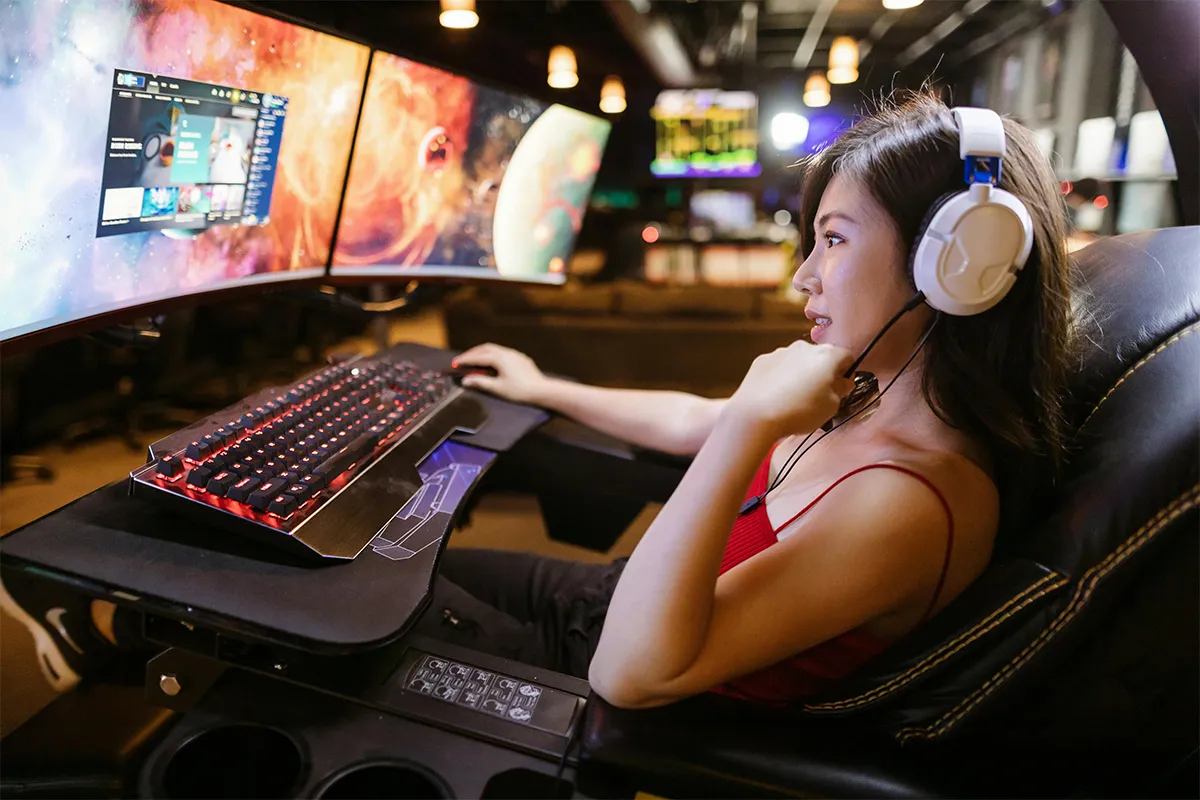
If you are a gamer, these 10 best laptop screen extenders for gaming will revolutionize your experience. They are all with very high resolution and maximum refresh rate to ensure smooth gaming, reduce screen tearing, and help you see more detail during fast action, whether you play at home or while traveling.
Give your gaming career the much-needed boost, smooth workflow, and portability to explore endless freedom. Never miss a single shot while listening to your favourite music track or watching a video at the same time. The portability ensures that you can play and jump right jumpe into the game from anywhere in the world. If this sounds like you, then do check it out!
Top 10 Best Laptop Screen Extenders for Gaming in 2026
These portable screens are made for gaming use. They aim for smooth motion and quick feel. Pick one that matches your laptop ports and your game style, and if you want fewer cables for audio or quick device switching, look for laptop screen extenders with Bluetooth.
1. ASUS ROG Strix XG16AHPE
ASUS ROG Strix XG16AHPE is made for gaming. It is built under a gaming brand line. It can help fast games look smoother. This can help when you turn fast in a shooter.
Many people use it as the main screen when traveling. The laptop screen can then hold chat or a map. This kind of setup feels neat and simple. It can work as a portable second monitor for FPS gaming when you want one more screen that is easy to carry.
Pros:
- Built-in battery for travel play
- 144 Hz for smoother motion
- USB Type-C and micro-HDMI
- Kickstand supports many angles
Cons.
- Battery lasts up to three hours
- Micro-HDMI needs a special cable
- Full HD limits sharp detail
- Smaller screen than a desktop
2. Acer Nitro PG161Q P
Acer Nitro PG161Q P is also made for gaming. It aims to feel quick in fast games. It can be a good fit for shooters and action games. Smooth motion can help you follow moving targets.
It can also help when you want a simple travel setup. You can plug it in and start playing fast. If you want a high refresh portable monitor for laptop gaming, this model matches that goal for many players.
Pros:
- 165 Hz for fast action
- Dual USB Type-C ports
- AMD FreeSync reduces tearing
- HDR10 support for games
Cons.
- Brightness is only 250 nits rated
- 6 ms response is slower here
- Mini-HDMI can be annoying
- Full HD, not QHD sharp
3. AOC Gaming 16G3
AOC Gaming 16G3 is a portable monitor made for gaming. It is meant to handle fast motion better than a basic travel screen. It can make quick movement look clearer. This can help in games with fast camera turns.
It is also useful for laptop dual screen extenders setups when you want the game on one screen and chat on the other. You can keep the game on the portable screen. You can keep chat or music on the laptop screen. It can be a good travel monitor for esports titles when you want smooth play away from home.
Pros:
- 144 Hz gaming-focused panel
- FreeSync helps reduce tearing
- Fold-out kickstand for easy tilt
- Built-in speakers for quick audio use
Cons.
- Micro-HDMI needs an extra cable
- Brightness can feel limited
- Small speakers, weak bass
- Full HD only resolution
4. ViewSonic VX1755
ViewSonic VX1755 is a portable gaming monitor. It gives you more screen space than a small laptop screen. That can help in games with many menus. It can also help in games with big maps.
It can also help if you stream or use apps while you play. You can keep the game on the portable screen. You can keep tools on the laptop screen. It can fit a USB-C gaming monitor for a laptop setup if your laptop can send video via USB-C.
Pros:
- 144 Hz with FreeSync Premium
- Kickstand adjusts across many angles
- USB Type-C plus mini-HDMI input
- Ultralight metal body for travel
Cons.
- No built-in battery listed
- Needs external power from the device
- Mini-HDMI needs a proper cable
- Full HD, not QHD
5. ARZOPA Z3FC
ARZOPA Z3FC is made as a gaming portable monitor. It aims for smooth motion anda clear picture. It can be a good match if you play many game types. It can also be helpful if you travel often.
Many people pick famous brands for laptop screen extenders because the build feels steadier and the support is easier to trust. You can use the same screen at home and on trips. That is why many people see it as a lightweight gaming screen extender that still feels strong for gaming use.
Pros:
- 180 Hz for ultra-smooth
- QHD resolution looks sharper
- 400 nits, brighter outdoors
- Works with PC and consoles
Cons.
- QHD needs a stronger GPU
- Higher refresh can drain power
- No battery mentioned on the page here
- May need USB-C video support first
6. UPERFECT UGame C2 Pro
UPERFECT UGame C2 Pro is made for gaming use. It is part of a gaming-style portable line. It can give a sharp and clean picture. That can feel nice in story games and open-world games.
It can also work with more than one device in some setups. Many people game on a laptop and also use a handheld PC. A portable monitor can be the shared screen for both. It can fit the idea of the best external display for a gaming laptop travel, when you want a good screen you can take anywhere.
Pros:
- 144 Hz gaming-ready
- 2560 × 1600 for crisp UI
- 100% sRGB for rich color
- Type-C and mini-HDMI inputs
Cons.
- 16:10 shows console black bars
- Mini-HDMI needs an adapter cable
- No battery mentioned on the page here
- Higher resolution hits FPS
7. G-STORY GSV56QM
G-STORY GSV56QM is a gaming portable monitor. It is made for fast play. It aims to feel quick and smooth. This can help in ranked matches and fast-action games.
It also works well in laptop triple screen extenders setups when you keep the game on one screen and tools on the other two. This can help you stay focused. Some gamers want less tearing on screen when the frame rate changes. That is why people look for an anti-tearing portable monitor with an Adaptive Sync type of screen when they pick a gaming extender.
Pros:
- 165 Hz for fast games
- 1 ms response feels snappy too
- FreeSync and G-SYNC support is listed
- HDR mode boosts scene contrast
Cons.
- Model specs vary by seller
- Ports are not always clearly listed online
- Full HD limits sharpness
- Needs quality cable for 165 Hz
8. Intehill 144Hz Portable Gaming Monitor
Intehill 144Hz Portable Gaming Monitor is made for gaming use. It focuses on smooth motion. It is made to be easy to carry. It can fit well in a bag with a laptop.
It can also help with office work when you want one screen for email and one for tasks. You can place it next to your laptop and connect it. That is why it can be a slim laptop screen extender for gaming on the go when you want fast play with less fuss.
Pros:
- Standard HDMI plus mini DP
- Dual USB-C for easy link use
- 350 nits, bright image
- FreeSync and HDR supported
Cons.
- Heavier body for travel
- No touchscreen features here
- Needs about 15 W of power input
- The large panel needs more space
9. NexiGo NG17FG
NexiGo NG17FG is built for gaming. It is a portable gaming monitor that gives a bigger view. A bigger view can help you see small details in games. It can help you spot movement in the distance.
It can also help if you like a two-screen travel setup. You can keep the game on one screen and the guides on the other screen. It fits well as a large portable monitor for a gaming setup if you want a bigger travel screen feel.
Pros:
- 144 Hz with flicker-free tech
- HDMI and USB-C inputs
- Dual speakers and headphone jack
- Slim bezels look modern
Cons.
- Full HD only resolution
- No battery mentioned by NexiGo here
- Needs USB-C video support
- A larger screen can drain more
10. NEWSOUL 2K Portable Gaming Monitor
NEWSOUL 2K Portable Gaming Monitor is made for gaming use with a sharp picture focus. A sharper image can make games look cleaner. It can also make text easier to read. This can help in games with many menus.
It can also work well as a laptop screen extender for remote work when you need more space for calls, notes, and simple tasks. You can use it for browsing and light work, too. Many people want one travel screen that can do both. It can be a 2K portable gaming monitor fora laptop if you want a sharper screen in a portable size.
Pros:
- 2K QHD looks sharp
- 144 Hz for smooth motion
- FreeSync helps stop tearing
- 1 ms response listed
Cons.
- Specs vary across model pages
- Brand support can be unclear
- Needs a strong GPU for 2K gaming
- May need USB-C video output
Comparison Table: Best Laptop Screen Extenders for Gaming
| Product (official name) | Max refresh rate | Native resolution | VRR support | Key ports for gaming | Best fit (quick pick) |
|---|---|---|---|---|---|
| ASUS ROG Strix XG16AHPE | 144 Hz | 1920 × 1080 | NVIDIA G–SYNC Compatible | USB Type–C, micro–HDMI | Smooth portable play for PC and consoles |
| Acer Nitro PG161Q P | 165 Hz | 1920 × 1080 | AMD FreeSync | 2× USB Type–C, mini–HDMI | Competitive gaming on the go (higher refresh) |
| AOC Gaming 16G3 | 144 Hz | 1920 × 1080 | FreeSync | micro–HDMI, USB–C | Simple, travel–friendly console + laptop setup |
| ViewSonic VX1755 | 144 Hz | 1920 × 1080 | AMD FreeSync Premium | USB Type–C, mini–HDMI | One–cable USB–C gaming with strong VRR support |
| ARZOPA Z3FC | 180 Hz | 2560 × 1440 | FreeSync (Yes) | 2× USB–C, mini–HDMI | High refresh + sharper QHD detail |
| UPERFECT UGame C2 Pro | 144 Hz | 2560 × 1600 | FreeSync (Yes) | 2× USB Type–C, mini–HDMI | Crisp 2K gaming with strong port selection |
| G–STORY GSV56QM | 165 Hz | 1920 × 1080 | Not clearly stated | USB–C mentioned; the full port list is not clearly stated | Fast refresh, but confirm the exact ports before buying |
| Intehill 144Hz Portable Gaming Monitor | 144 Hz | 1920 × 1080 | FreeSync (Yes) | 2× USB–C, HDMI, Mini DP | Versatile connectivity (HDMI + USB–C + Mini DP) |
| NexiGo NG17FG | 144 Hz | 1920 × 1080 | FreeSync (Yes), G–SYNC Compatible (Yes) | 1× HDMI, 2× USB–C | Easy VRR choice for mixed devices |
| NEWSOUL 2K Portable Gaming Monitor | 144 Hz | 2560 × 1440 | FreeSync | 2× USB–C, HDMI | QHD clarity with straightforward ports |
Conclusion
A laptop screen extender for gaming can make gaming feel easier. It gives you more space on the screen. It can help you keep your game and your tools open at the same time. It can also make travel gaming feel more like home.
Before you buy, check your laptop ports. Make sure your laptop can connect in the way the monitor needs. For comfort, try to keep the screen near eye level, and follow basic laptop ergonomics guidance to reduce neck and wrist strain. Then match the screen to your game style. When the screen fits your setup, it can be a simple upgrade that you use every day.